
Small Clinics: The “One-Inbox” System for Patient Communication (Reduce Missed Messages & Improve Follow-Ups)

Running a small clinic often means wearing multiple hats at once. You are the healthcare provider, the clinical director, the billing department, and often, the front desk receptionist. In the middle of this daily juggling act, your patients are trying to reach you.

One client leaves a lengthy voicemail. Another sends an urgent email to your personal address. A third replies to an automated appointment reminder via standard text message.

When your communication channels are scattered across different platforms, messages inevitably slip through the cracks. Missed messages lead to forgotten follow-ups, frustrated clients, and a massive increase in your own administrative burnout. To solve this growing problem, modern practices are moving toward a highly efficient “One-Inbox” approach.

Implementing a centralized patient communication system for small clinics is the most effective way to regain control of your time, ensure strict legal compliance, and provide a top-tier, professional patient experience from the very first touchpoint.

CompanyOn

The Chaos and Hidden Costs of Multi-Channel Communication

Before exploring the solution, it is crucial to understand why relying on disconnected communication channels—like standard email, personal SMS, and sticky notes—is actively hurting your small clinic’s growth and reputation.

  • The “Mental Toll” of Context Switching: Constantly bouncing between your email inbox, your phone notifications, and your voicemail drains your focus. It takes you out of the clinical mindset and forces you into reactive administrative mode.

  • Severe Privacy and Compliance Risks: Healthcare data privacy laws are strict. Replying to sensitive patient inquiries via a personal Gmail account or standard unencrypted SMS can quickly lead to severe HIPAA, PIPEDA, or PHIPA compliance violations.

  • Erosion of Patient Trust: When a patient reaches out in a moment of vulnerability and doesn’t hear back because their message got lost in a spam folder, it damages the therapeutic alliance. Delayed follow-ups make patients feel ignored or undervalued.


What is a “One-Inbox” Patient Communication System?

A “One-Inbox” system is exactly what it sounds like: a centralized, encrypted digital hub where all client communications live. Instead of checking a phone, an email inbox, and a separate patient portal, every message—whether it’s a scheduling question, a billing inquiry, or a clinical update—routes directly into a single, secure dashboard.

Core Features of a True One-Inbox System:

  • Centralized Messaging: All patient chats are logged in one thread per client.

  • Bank-Level Security: End-to-end encryption ensures all conversations remain strictly confidential and legally compliant.

  • Document Sharing: The ability to send and receive files, homework, or resources securely within the same chat thread.


The Transformative Benefits for Small Clinics

Shifting to a unified patient communication system for small clinics does more than just organize your messages; it fundamentally changes how your practice operates.

1. A Complete, Audit-Proof Paper Trail

You can see a client’s entire communication history in one place. If a client asks a question regarding their patient onboarding experience, you have the full context of all their previous messages, intake forms, and inquiries right in front of you. No more guessing what was said three weeks ago.

2. Improved Show-Up Rates and Fewer Cancellations

When communication is seamless and accessible, clients feel more connected to their care plan. You can quickly answer pre-session questions, reducing the anxiety that often leads to last-minute cancellations.

3. Clear Boundaries and Better Work-Life Balance

Burnout is a primary threat to independent practitioners. Having a dedicated digital system allows you to step away. You can log out of the clinic’s secure inbox at 5:00 PM on a Friday without the lingering anxiety that a patient might be texting your personal cell phone over the weekend.


4 Steps to Build Your “One-Inbox” Workflow

Transitioning to a new workflow might seem daunting, but for small clinics, simplicity and consistency are key. Here is how to build your system effectively:

Step 1: Audit Your Current Communication Leaks

Take an honest inventory of everywhere clients currently contact you. Do they use WhatsApp? Personal email? Instagram DMs? Website contact forms? Identify all the leaks in your communication funnel so you know exactly what needs to be redirected and shut down.

Step 2: Choose a Secure, All-in-One Platform

You need a practice management tool that brings messaging into the exact same ecosystem as your scheduling and clinical notes. Avoid cobbling together three different software subscriptions. A unified platform ensures that messages are tied directly to the client’s file.

Step 3: Digitize and Automate the Front-End

Reduce the amount of back-and-forth messaging by automating your paperwork. By utilizing secure online forms and e-consents, you can gather most of the necessary information before the client even needs to message you. If they do have a question while filling it out, they can use your new centralized system to ask it.

Step 4: Set Clear Expectations with Clients

Once your system is in place, over-communicate the change. Update your website, your email signatures, and your streamlined patient intake process guidelines to clearly state the best (and only) way to reach you moving forward.

Pro Tip: Set up an auto-responder on your old clinic email or phone number that gently redirects clients: “To better protect your privacy and ensure faster responses, we have moved all communication to our secure client portal. Please message us directly through [Link]. This inbox is no longer monitored.”


Bring Your Clinic’s Communication Under One Roof with CompanyOn

Small clinics don’t need clunky, confusing, enterprise-level hospital software; they need intuitive, highly secure tools built specifically for independent practitioners and small teams.

With CompanyOn, you can consolidate your entire practice management into one beautifully simple platform. Rather than chasing down lost emails, playing phone tag, or worrying about privacy breaches, CompanyOn provides a fully secure environment to communicate with your clients, share important documents, and manage appointments.

Why growing small clinics choose CompanyOn:

  • Keep all client conversations strictly confidential, organized, and legally compliant.

  • Attach communications, notes, and forms directly to the client’s secure digital file.

  • Drastically reduce administrative overwhelm so you can focus entirely on your sessions and your clients’ well-being.

Ready to stop missing critical messages and start delivering a superior patient experience? Bring your clinic into a single, organized inbox with CompanyOn and discover how much easier practice management can be.

Ready to make the switch?

Try Our Platform Free for 14 days.

See CompanyOn in Action

Schedule A Free 1:1 Personalized Demo

Counsellors & Therapists: Online Intake Forms That Improve Show-Up Rates (Without Feeling “Clinical”)

The first therapy session is often a source of anxiety for new clients. It takes courage to reach out for help, schedule an appointment, and finally walk through your clinic door (or log into your telehealth link).

But what happens when that brave first step is immediately met with a cold, 10-page paper packet attached to a waiting room clipboard?

For many clients, heavy administrative tasks right before a vulnerable session can trigger overwhelm, making them feel like just another file number. In some cases, the friction of this process contributes directly to cancellations or no-shows.

By utilizing online intake forms for therapists, you can shift this dynamic entirely. You can gather essential clinical data, secure informed consent, and build rapport before the client ever sits on your couch. Here is how to create a digital intake process that reduces no-shows while maintaining a warm, human connection.

CompanyOn

Why the “Waiting Room Clipboard” is Costing You Clients

The traditional intake process—asking clients to arrive 15 minutes early to fill out paperwork—presents a few hidden challenges for mental health professionals:

  • Heightened Anxiety: Clients are already nervous. Handing them complex legal and medical jargon adds to their cognitive load.

  • Rushed Answers: Feeling the pressure of the clock, clients may rush through important questions about their mental health history, leaving you with incomplete data.

  • Loss of Valuable Session Time: If paperwork isn’t finished, it eats into the actual therapeutic hour, frustrating both you and the client.

By streamlining your patient intake process and moving it online, you remove this immediate barrier. Clients can complete their paperwork from the safety and comfort of their own homes, at their own pace.


How Online Intake Forms for Therapists Improve Show-Up Rates

It might seem counterintuitive that more pre-session homework leads to fewer no-shows, but the psychology behind it is clear.

1. The Power of Micro-Commitments

When a client takes the time to fill out an online intake form, they are making a psychological micro-commitment to their treatment. They have invested time and energy into answering your questions, which dramatically increases the likelihood that they will show up for the actual appointment.

2. Setting Clear Expectations Early

Fear of the unknown is a massive driver of no-shows. A well-designed online intake form outlines exactly what the first session will look like, your cancellation policies, and how you handle confidentiality. When clients know what to expect, their attendance rates go up.

3. Creating a “Soft Landing”

Digital forms allow clients to articulate why they are seeking therapy without having to say it out loud to a stranger first. Getting the hardest part—admitting the problem—out of the way digitally creates a softer landing for the face-to-face session.


4 Ways to Make Your Intake Forms Feel Human (Not Robotic)

Switching to digital doesn’t mean sacrificing your warmth. The goal is to create a smooth patient onboarding experience that feels like an extension of your therapeutic presence.

  • Start With a Warm Welcome: Don’t just jump into “Name” and “Date of Birth.” Include a brief introductory paragraph at the top of the form. Validate their decision to start therapy and express that you are looking forward to meeting them.

  • Ditch the Hospital Jargon: You are a therapist, not a hospital triage nurse. Avoid overly clinical terms when a conversational phrase will do.

  • Use Open-Ended, Gentle Questions: Give them space to express themselves on their own terms.

  • Explain Why You Need the Information: If you are asking for an emergency contact or a physical health history, briefly explain that this is to ensure their safety and holistic well-being. Transparency builds trust.


Re-Writing the Intake Form: Clinical vs. Conversational

Here is a quick comparison of how you can reframe standard intake questions to feel more empathetic and less clinical:

Traditional / Clinical Phrasing Warm / Conversational Phrasing
Chief Complaint / Reason for Visit: What brings you to therapy today?
Psychiatric History: Have you worked with a counsellor or therapist before? If so, what was helpful?
Symptoms Checklist (0-10): Over the last few weeks, how have you been feeling on a daily basis?
Emergency Contact: Who is a trusted person we can contact if there is an emergency?
Sign Here to Acknowledge Policies: Please review and sign to confirm we are on the same page regarding your privacy and care.

Streamline Your Practice with CompanyOn

Crafting the perfect intake form is only half the battle; you also need a secure, compliant, and easy-to-use platform to send them.

With CompanyOn’s online forms and e-consents, independent therapists, social workers, and counsellors can digitize their entire onboarding flow.

With CompanyOn, you can:

  • Send automated digital intake packets as soon as a client books.

  • Securely collect e-signatures for consent and privacy policies (PIPEDA / PHIPA compliant).

  • Review client answers before the session, allowing you to walk into the room fully prepared to focus on them, not their paperwork.

Ready to drop the clipboard and create a better first impression? Elevate your practice and reduce your admin time so you can focus on what truly matters: providing excellent care.

Ready to make the switch?

Try Our Platform Free for 14 days.

See CompanyOn in Action

Schedule A Free 1:1 Personalized Demo
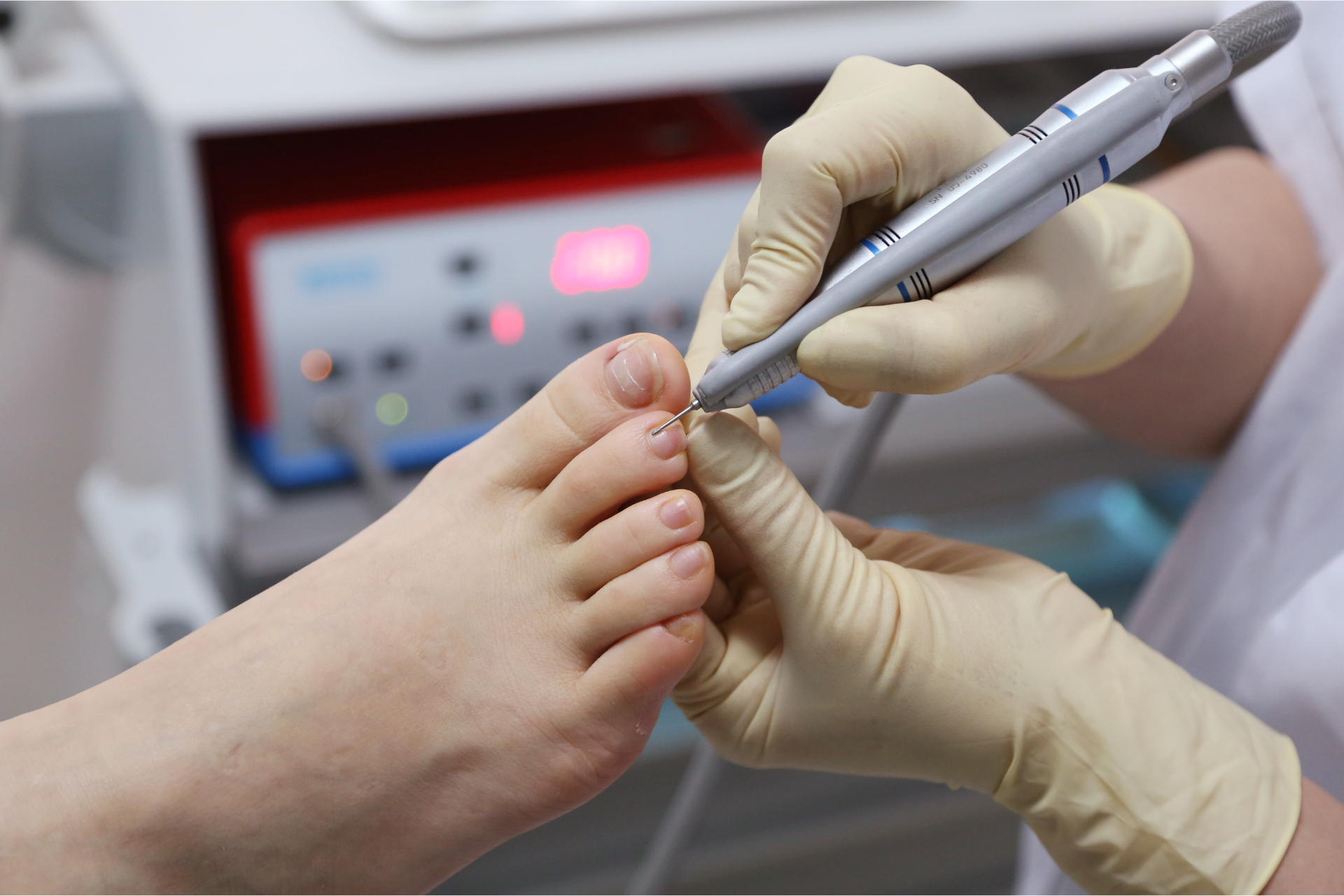
Foot Care Nursing: How to Create a Fast, Consistent Charting Workflow for Routine & Complex Visits

For foot care nurses, charting is not just a documentation task. It is a core part of clinical quality, continuity of care, billing accuracy, and risk management. But when documentation is inconsistent or overly manual, it quickly becomes a source of stress. Notes take too long, key details get buried in free text, and routine visits end up requiring almost as much administrative effort as complex ones.

That is why building a strong foot care nursing charting workflow matters. A clear, repeatable system helps nurses document faster without sacrificing quality. It also makes it easier to track recurring issues, monitor wound progression, capture risk factors, and stay organized across home visits, clinic appointments, and long-term patients.

The goal is not to make every chart identical. It is to create a workflow that supports both efficiency and clinical judgment. With the right structure, templates, tags, and pre-visit forms, foot care nurses can reduce repetitive admin, standardize their documentation, and spend more time focused on patient care.

In this article, we will look at how to create a faster, more consistent charting workflow for both routine and complex foot care visits.

CompanyOn

Why foot care nursing needs a structured charting workflow

Foot care nursing often includes a mix of predictable services and more complex clinical scenarios. A single day may involve:

  • routine nail care
  • diabetic foot assessments
  • skin and circulation checks
  • wound monitoring
  • follow-up visits for high-risk patients
  • patient education and home care recommendations

Without structure, documentation can become uneven from one visit to the next. Some notes may be detailed but time-consuming, while others may miss important information. Over time, this creates problems for clinical continuity, compliance, and operational efficiency.

A structured foot care nursing charting workflow helps solve this by making sure every note follows a logical pattern. It supports:

  • faster documentation
  • more complete clinical records
  • easier review of past visits
  • better consistency across routine and complex cases
  • smoother handoffs if more than one provider is involved

It also reduces the mental load of starting from scratch every time.

What slows charting down in foot care nursing

Before improving the workflow, it helps to understand where time is being lost.

1. Too much free-text documentation

Free text has its place, especially for unusual findings or complex patient situations. But when every visit note is written from scratch, charting becomes slower and less consistent.

2. No standard visit structure

If the nurse has to decide how to organize every note in the moment, small inefficiencies add up. A repeatable framework makes documentation faster and easier to review later.

3. Missing pre-visit information

When allergies, medications, medical history, consent details, or reason for visit are collected inconsistently, the documentation process becomes more fragmented.

4. Routine and complex visits use the same documentation effort

Not every appointment needs the same depth of charting. A simple maintenance visit should not require the same workflow as a wound care follow-up or high-risk diabetic assessment.

5. Information is scattered across systems

If forms, charting, scheduling, and billing live in different places, nurses spend more time switching between tools and re-entering details.

The foundation of a better foot care nursing charting workflow

A good workflow should support speed, consistency, and clinical clarity. In practice, that usually means building the process around three core elements:

  • templates for repeatable visit types
  • tags for tracking important patterns and conditions
  • pre-visit forms to collect key details before care begins

Let’s break down how each part works.

Use templates to standardize routine charting

Templates help reduce repetitive documentation while keeping notes organized. For foot care nursing, this is especially useful because many visits follow a familiar pattern.

Create templates by visit type

Instead of using one generic note for every patient, create templates based on common appointment categories, such as:

  • routine foot care visit
  • diabetic foot assessment
  • high-risk foot care follow-up
  • skin integrity or wound monitoring visit
  • first-time assessment
  • home visit foot care appointment

This approach keeps charting focused and relevant.

Include the same core sections every time

Your template does not need to be rigid, but it should guide the nurse through a consistent structure. For example:

Patient context

  • reason for visit
  • relevant history updates
  • reported symptoms or concerns

Assessment

  • skin condition
  • nail condition
  • circulation observations
  • sensation findings
  • pressure areas or lesions
  • wound status, if applicable

Care provided

  • nail care performed
  • debridement or dressing care
  • education provided
  • referrals or escalation steps

Plan

  • follow-up timing
  • home care instructions
  • monitoring recommendations
  • next steps for higher-risk concerns

With this structure, charting becomes more efficient and easier to compare over time.

Use tags to make documentation more searchable and useful

Templates help with consistency, but tags help with visibility. In a strong foot care nursing charting workflow, tags can make it easier to identify patterns, monitor risk, and organize follow-up care.

Useful tag examples for foot care nursing

Tags can be used for:

  • diabetic patient
  • high-risk foot
  • reduced sensation
  • circulation concerns
  • wound follow-up
  • fungal nail changes
  • mobility limitation
  • home visit
  • recurring callus care
  • patient education completed

These tags make it easier to scan patient records and understand important context quickly.

Why tags matter in complex cases

For routine visits, tags improve organization. For complex cases, they become even more valuable because they help nurses track issues across multiple visits without relying only on narrative notes.

For example, if a patient has diabetes, reduced sensation, and a history of skin breakdown, those tags help create faster clinical visibility before the next appointment even begins.

Use pre-visit forms to reduce charting time before the visit starts

One of the easiest ways to improve documentation is to collect better information before the appointment.

Pre-visit forms can help foot care nurses gather:

  • updated health history
  • medications
  • allergies
  • consent information
  • mobility limitations
  • current symptoms
  • concerns since the last visit

This reduces the need to collect everything verbally during the appointment and gives the nurse a stronger starting point for charting.

Pre-visit forms improve more than speed

They also support:

  • more complete records
  • fewer missed details
  • smoother intake for repeat patients
  • better preparation for complex visits

For mobile foot care nurses or busy clinics, this can make a major difference in daily efficiency.

How to handle routine vs. complex visits without overcomplicating charting

A common mistake is using the same documentation intensity for every appointment. A better system adapts to visit complexity.

Routine visits

Routine visits should use a streamlined template with structured fields and minimal free text. The note should still capture clinical quality, but it should not require unnecessary detail.

Best practices for routine charting:

  • use checkboxes or structured fields where appropriate
  • include standard care actions in reusable note sections
  • reserve free text for important exceptions or changes

Complex visits

Complex visits need more clinical flexibility. This may include:

  • wound progression details
  • changes in vascular or neurological status
  • patient-specific risk factors
  • education and compliance issues
  • referral or escalation decisions

Best practices for complex charting:

  • start with the same core structure
  • expand only where clinical detail is needed
  • use tags to highlight ongoing concerns
  • keep follow-up actions easy to identify

This balance helps nurses stay efficient without under-documenting higher-risk cases.

Build one connected workflow instead of separate admin tasks

Charting works best when it is not isolated from the rest of the patient journey. In many foot care practices, documentation delays happen because the workflow is fragmented.

A more connected process looks like this:

  1. Patient books appointment
  2. Pre-visit form is completed
  3. Nurse reviews key details before the visit
  4. Charting template is used during or after care
  5. Tags are added for follow-up visibility
  6. Billing or invoicing is completed without re-entering information

This is where integrated practice management tools can make a real difference. When scheduling, forms, charting, and billing work together, nurses spend less time on duplicate admin and more time on care.

How CompanyOn supports a better foot care nursing charting workflow

For foot care nurses and small clinics, the biggest challenge is often not documentation itself. It is the number of disconnected tasks surrounding it.

CompanyOn helps simplify that process by bringing key workflows into one place, including:

  • appointment scheduling
  • patient forms and intake
  • charting workflows
  • patient records
  • invoicing and payments

That means less switching between systems, less repetitive data entry, and a smoother experience from booking to documentation to billing.

For routine visits, this supports faster, more standardized charting. For complex visits, it helps nurses stay organized while still capturing the clinical detail that matters.

Final thoughts

A strong foot care nursing charting workflow is not about writing more. It is about documenting with more consistency, less friction, and better clinical visibility.

By using templates for common visit types, tags for important conditions and follow-up needs, and pre-visit forms to collect information early, foot care nurses can create a workflow that supports both routine care and more complex patient needs.

The result is simple but powerful: less admin stress, clearer records, and more time for patient care.

If your current documentation process feels too manual or inconsistent, this is a good place to start. Small workflow improvements can have a big impact on daily efficiency and long-term care quality.

Ready to make the switch?

Try Our Platform Free for 14 days.

See CompanyOn in Action

Schedule A Free 1:1 Personalized Demo
Occupational Therapy Home Safety Assessments: Documentation Checklist + Ready-to-Use Note Structure

Home safety assessments are one of the most valuable OT services—and one of the easiest to document poorly when you’re rushed. In a home environment, you’re scanning hazards, observing function, educating the client, coordinating with caregivers, and making recommendations in real time. If your notes aren’t structured, it’s easy to miss key details that matter later: what was assessed, what risks were identified, what recommendations were made, and what follow-up is required.

That’s why occupational therapy home safety assessment documentation benefits from standardization. A clear checklist and a repeatable note structure help you:

  • reduce omissions
  • improve consistency across visits and therapists
  • speed up report writing
  • communicate clearly with clients, families, and referral sources

Below is a practical documentation checklist and a ready-to-use note structure you can adopt immediately—whether you’re working solo or as part of a team.

CompanyOn

Why documentation is the “safety net” of a home safety assessment

Your documentation does more than summarize a visit. It protects:

  • client safety (risks identified and mitigation steps)
  • continuity of care (clear handoffs and follow-up)
  • clinical reasoning (why recommendations were appropriate)
  • professional accountability (what you observed, advised, and planned)

If you’re seeing documentation creep into your evenings, it’s often because your workflow isn’t designed for speed and consistency (related: Why Documentation Overload Is Holding You Back).


The biggest documentation mistakes in home safety assessments

These are the gaps that typically slow down reporting and create risk:

  • No clear reason for referral or functional goals
  • Vague descriptions of hazards (“cluttered” without specifics)
  • Missing objective observations (transfers, mobility, cognition)
  • Recommendations listed without rationale or prioritization
  • No clear action plan (who will do what by when)
  • Incomplete consent / communication notes (family, caregiver, provider updates)

The fix isn’t longer notes. It’s better structure.


OT Home Safety Assessment Documentation Checklist

Use this checklist as your minimum standard. It keeps your note complete even on a busy day.

1) Visit context and consent

  • ☐ Date/time, visit type (initial / follow-up)
  • ☐ Address/location type (house, apartment, condo, assisted living)
  • ☐ Consent confirmed (client / substitute decision-maker if applicable)
  • ☐ Who was present (client, caregiver, family member, staff)
  • ☐ Communication preferences and any language/interpretation needs

If your clinic uses digital consent workflows, keep them consistent (see Best Practices for Managing Patient Consent Forms Digitally and ready-to-use options like eConsent Form Templates).


2) Referral reason and functional profile

  • ☐ Referral reason (falls risk, discharge planning, mobility decline, caregiver concerns, etc.)
  • ☐ Client goals (in their words if possible)
  • ☐ Relevant medical history (only what impacts function/safety)
  • ☐ Current supports (caregiver hours, family involvement, community services)
  • ☐ Equipment currently used (walker, cane, shower chair, grab bars, raised toilet seat)

3) Risk screening (quick but specific)

  • ☐ Falls history (how many, when, circumstances)
  • ☐ Near-falls, fear of falling
  • ☐ Medication changes (recent) if known/relevant
  • ☐ Vision/hearing issues impacting safety
  • ☐ Cognition/insight concerns affecting judgment
  • ☐ Environmental risks: pets, clutter, lighting, stairs, rugs, winter access

4) Home environment assessment (room-by-room summary)

You don’t need pages per room. You need consistent categories.

Entry / Exterior

  • ☐ Steps/railings, lighting, pathway hazards, door thresholds, footwear storage

Hallways / General

  • ☐ Clutter/trip hazards, rugs, lighting, handholds

Bathroom

  • ☐ Tub/shower access, grab bars, non-slip surfaces, toilet height, transfer space

Bedroom

  • ☐ Bed height, transfers, night lighting, pathway to bathroom

Kitchen

  • ☐ Reaching/stooping hazards, layout, frequently used item placement

Stairs

  • ☐ Railings (one/both sides), step condition, visual contrast, landing space

Emergency readiness (optional but valuable)

  • ☐ Emergency plan, phone access, medical alert device, caregiver contact info

Tip: keep this consistent using standardized “modules” or checkboxes in your forms (see Online Forms and Dynamic Forms).


5) Functional observations (this is where OT value is obvious)

Document the function in context, not just the environment.

  • ☐ Mobility (gait, device use, endurance)
  • ☐ Transfers (chair, bed, toilet, tub/shower if assessed)
  • ☐ Balance and steadiness during real tasks
  • ☐ Cognition (sequencing, safety awareness, attention)
  • ☐ ADLs/IADLs (bathing, toileting, meal prep, medication management where relevant)
  • ☐ Caregiver interactions (what support is present, what’s missing)

If you want to reduce omissions, a structured note system is key (related: Strategies to Reduce Errors in Digital Clinical Documentation).


6) Recommendations (prioritized + with rationale)

A common reporting issue is “recommendation lists” with no structure.

Use a priority tier:

  • Priority 1 (Immediate safety): high-risk falls hazards, urgent equipment needs
  • Priority 2 (Near-term): modifications, training, caregiver setup
  • Priority 3 (Optimize): efficiency changes, longer-term adaptations

For each recommendation, include:

  • ☐ What it is
  • ☐ Why it matters (risk or functional goal)
  • ☐ Who will action it (client / family / contractor / community service)
  • ☐ Any training needed (client/caregiver education)

7) Education and follow-up plan

  • ☐ Education provided (falls prevention, device use, safe transfers, energy conservation)
  • ☐ Referrals recommended (PT, nursing, community OT follow-up, home modifications program)
  • ☐ Next steps + timeline
  • ☐ Next visit or follow-up communication plan

A clean follow-up system improves continuity and patient experience (see How to Create a Seamless Patient Onboarding Experience From Day One and Facilitating Provider-Patient Communications).


Ready-to-Use Note Structure (copy/paste template)

Below is a practical note structure you can use as a default for most home safety assessments. It reads well, scans well, and supports reporting.

1) Visit Summary

Date/Time:
Location:
Present:
Consent: confirmed / obtained from: ___
Reason for referral:
Client goals:

2) Functional Status (in context)

Mobility:
Transfers:
ADLs/IADLs relevant to safety:
Cognition/insight (if relevant):
Supports available:

3) Environmental Findings (room-by-room highlights)

Entry/exterior:
Hallways/common areas:
Bathroom:
Bedroom:
Kitchen:
Stairs (if applicable):

4) Risks Identified

  • Falls risk factors observed:
  • Hazards identified (specific):
  • Client/caregiver safety concerns stated:

5) Recommendations (prioritized)

Priority 1 – Immediate safety

  • Recommendation + rationale + who actions it

Priority 2 – Near-term

  • Recommendation + rationale + who actions it

Priority 3 – Optimize

  • Recommendation + rationale + who actions it

6) Education Provided

  • Training / strategies reviewed:
  • Written instructions provided (Y/N):

7) Plan / Follow-Up

  • Next steps and timeline:
  • Referrals / communication sent to:
  • Next visit / check-in date:

8) Signature / Credentials

Provider name + credentials + registration info (as applicable)


How to speed up reporting (without sacrificing quality)

If home safety assessments are taking too long to write up, try these operational upgrades:

Use “micro-notes” during the visit

Capture:

  • top 3 risks
  • top 3 recommendations
  • who will action each one

Use standardized phrases + dropdowns

You’re not writing an essay—you’re documenting decisions.

Keep photos and attachments policy-consistent

If you use photos (e.g., bathroom setup), ensure consent and secure storage rules are clear (privacy best practice). A broader security primer: Cloud Data Security: How to Protect Your Patients’ Information.

Turn your checklist into a digital form

Instead of reinventing it each time, convert the checklist into a structured form that outputs into your note/report.


Where CompanyOn fits

If you want to standardize OT home safety assessments without turning your process into paperwork, CompanyOn helps you keep the workflow connected:

The result: fewer omissions, faster reporting, and a smoother experience for clients and caregivers.


Final takeaway

Home safety assessments are high-impact OT work—and your documentation should reflect that.

With a simple checklist and a repeatable note structure, you can standardize occupational therapy home safety assessment documentation, reduce omissions, and speed up reporting without losing clinical depth.

Ready to make the switch?

Try Our Platform Free for 14 days.

See CompanyOn in Action

Schedule A Free 1:1 Personalized Demo

Referral-Ready Clinics: How to Build a Documentation & Communication System That Other Providers Trust

Referrals don’t grow on “good marketing” alone. They grow on confidence.

When a physician, nurse practitioner, or another clinic refers a patient to you, they’re putting their reputation on the line. They want to know three things:

  1. Your documentation will be clear and clinically useful
  2. Communication will be secure, timely, and professional
  3. Follow-ups won’t fall through the cracks

That’s what makes a clinic “referral-ready.”

A referral-ready clinic isn’t necessarily the biggest clinic—it’s the clinic with systems that feel reliable: consistent notes, clean intake, predictable follow-up, and easy collaboration. This is where a strong healthcare referral management system (process + tools) becomes your competitive advantage.

Below is a practical guide to building a referral-ready workflow that helps other providers trust you—and keep referring.

CompanyOn

What makes a clinic “referral-ready”?

Referring providers are often dealing with:

  • limited time to review notes
  • fragmented patient histories
  • pressure to make safe handoffs
  • strict privacy expectations
  • uncertainty about whether their patient will be followed up properly

So “referral-ready” doesn’t mean fancy. It means:

  • scannable documentation
  • clear clinical reasoning
  • easy-to-find key details
  • secure communication
  • predictable follow-ups

If your clinic is already working on improving patient experience as a differentiator, this topic pairs well with Patient Experience as a Competitive Advantage.


The biggest referral-killers (even in great clinics)

If referrals are inconsistent, the reason is often operational—not clinical.

Here are the common referral-killers:

1) Documentation that’s hard to read

  • long paragraphs with no structure
  • missing objective measures
  • unclear plan or next steps
  • inconsistent format between providers

When a referrer can’t quickly understand what happened and what you’re doing next, trust drops.

If your team struggles with consistency, see Small Clinics & Group Practices: How to Standardize Charting Across Providers and the broader framework in Patient Charting.

2) Slow or unclear communication

  • delayed responses
  • unclear “who handles what”
  • messages spread across email, texts, and sticky notes
  • no standard update cadence

This is where clinics benefit from standardizing workflows like those discussed in Facilitating Provider-Patient Communications.

3) Follow-ups that aren’t consistent

Even a great initial outcome can be undermined if:

  • progress updates aren’t documented
  • next steps aren’t clear
  • the referring provider never gets closure

A referral-ready system makes follow-ups routine, not optional.


The “Referral-Ready System”: 5 pillars you need in place

Think of a healthcare referral management system as a set of workflows—not just a tool.

Pillar 1: Standardized documentation structure (so anyone can scan it)

Your notes should be team-readable and referrer-readable.

A simple standard (works across disciplines):

  • Reason for visit
  • Key subjective change
  • Objective measures (only what matters)
  • Clinical impression
  • Plan + next steps
  • When you’ll reassess / what success looks like

If your clinic uses SOAP, align your team with Decoding SOAP Notes: Why They Matter in Patient Care. If you want templates that keep quality high while saving time, use the approach in Physiotherapy Charting Templates That Save Time.

Pro tip: Standardize the headings and the minimum required fields, not everyone’s writing style.


Pillar 2: Clean intake and consent (so your first visit is “referral-ready”)

Referrals feel safer when your clinic is prepared from day one.

Standardize:

  • referral reason capture
  • medication/allergy flags (if relevant)
  • risk screening
  • communication preferences
  • consent for sharing updates with the referrer (when appropriate)

This reduces back-and-forth and strengthens first impressions. See How to Streamline the Patient Intake Process and consent workflows in Best Practices for Managing Patient Consent Forms Digitally.

If you want to operationalize this, start with Online Forms and scalable options like Dynamic Forms, plus eConsent Form Templates.


Pillar 3: Secure, consistent communication channels (no “lost messages”)

A referral-ready clinic avoids ad-hoc messaging.

Instead, define:

  • where messages live
  • who responds
  • expected response time
  • what qualifies as urgent vs non-urgent
  • how updates are documented

This is not about being rigid—it’s about being reliable. It’s the same principle behind running efficient workflows without losing the human touch (see Why Standardizing Care Processes Improves Patient Experience Without Losing the Human Touch).

Also, if your clinic uses reminders, keep them warm and professional—see Automate Appointment Reminders Without Sounding Robotic.


Pillar 4: A predictable progress update cadence (so referrers feel “in the loop”)

Referrers don’t need a long report after every visit. They need predictable updates.

A simple cadence:

  • After the initial assessment: one summary note (what you found + plan)
  • Every 4–6 visits (or monthly): brief progress update (outcomes + next steps)
  • At discharge: closure summary (what changed + maintenance plan)

This is where a small template goes a long way—especially for high-volume clinics. If you want to tighten internal quality and reduce variability, see How to Conduct an Internal Audit to Ensure Quality and Compliance.


Pillar 5: Follow-up systems that prevent drop-offs

Even strong clinics lose referral momentum when patients:

  • don’t book after the first visit
  • miss appointments and fall off the plan
  • don’t return for reassessments
  • don’t complete their course of care

A referral-ready clinic protects continuity with:

  • online booking
  • reminders
  • waitlist for earlier openings
  • clear rebooking prompts (“schedule your next session now”)

If this is an issue, review scheduling foundations in Online Booking System and cancellation prevention strategies in The Cost of No-Shows and Late Cancellations and Effective Techniques to Reduce Appointment Cancellations.


A referral-ready documentation template (quick and scannable)

Use this as a standard “referral-facing” summary format:

Referral reason:
Key findings: (3 bullets max)
Objective measures: (baseline + current if follow-up)
Clinical impression: (1–2 lines)
Plan: frequency, focus, expected timeline
Risk notes / precautions: (if relevant)
Next update point: e.g., “progress update after 4 visits”

This format makes it easy for any provider to understand your work quickly.


How to implement this in 30 days (simple rollout)

Week 1: Standardize the note structure

  • Choose headings
  • Define minimum required fields
  • Create 3 templates (assessment, follow-up, discharge)

Week 2: Standardize intake + consent

  • Create one referral intake flow
  • Make consent for sharing updates explicit when needed
  • Ensure everything is stored consistently

Week 3: Communication rules + update cadence

  • Define “where messages live” and response expectations
  • Start progress updates after assessment + every 4–6 visits

Week 4: Follow-up protection

  • Add reminders for rebooking
  • Use waitlist to fill cancellations
  • Track drop-offs and close loops

If your clinic needs workflow automation to support this, see Smart Workflow Automation for Small Health Practices.


Where CompanyOn fits as a healthcare referral management system

Referrals become predictable when your workflows are connected—not scattered.

CompanyOn supports referral-ready operations by bringing key pieces together:

The result: cleaner handoffs, clearer documentation, and follow-ups that build confidence—so referrals keep coming.


Final takeaway

Referrals are built on trust—and trust is built on systems.

If you want physicians and clinics to keep referring, make it easy for them to feel confident:

  • notes that are scannable and consistent
  • secure, reliable communication
  • predictable progress updates
  • follow-ups that prevent drop-offs

That’s what a real healthcare referral management system looks like in practice—and it’s one of the fastest ways to grow a clinic without relying solely on paid marketing.

Ready to make the switch?

Try Our Platform Free for 14 days.

See CompanyOn in Action

Schedule A Free 1:1 Personalized Demo