
Confirmation & Cancelation of Appointments online Feature
Managing appointments efficiently is crucial for solo healthcare practitioners. With CompanyOn’s Confirmation & Cancellation of Appointments Online feature, your clients now have the flexibility to respond to appointment reminders in real time—without needing to call or email your practice.
A smoother scheduling experience means fewer no-shows, better communication, and more time focused on patient care.
🗓️ What Does This Feature Do?
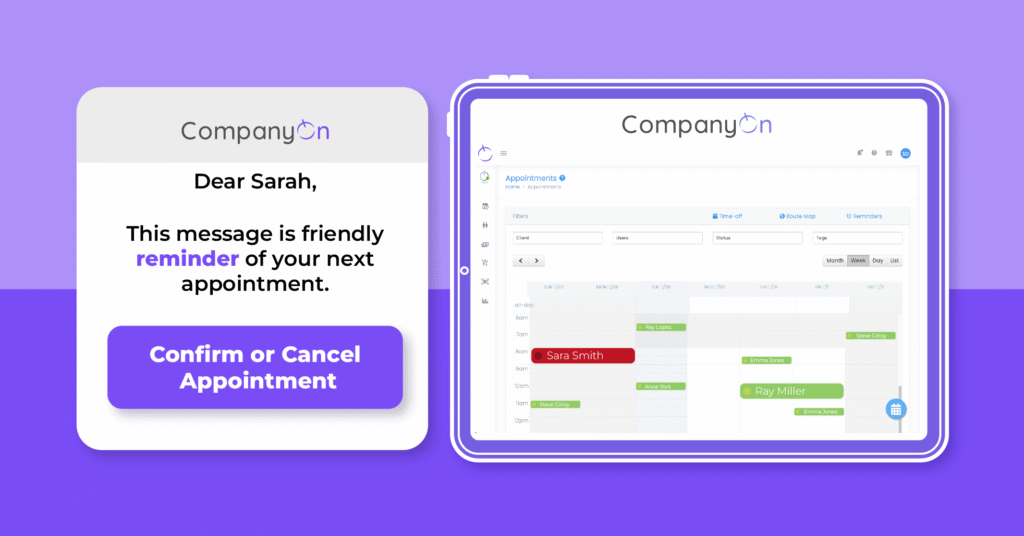
This feature allows clients to confirm or cancel their upcoming appointments directly from the appointment reminder emails or text messages sent via the CompanyOn platform.
📲 This complements our appointment reminder automation tool designed to improve show-up rates and clinic efficiency.
🔧 How It Works – Step by Step
1. Clients Receive the Reminder
Whenever an appointment reminder is sent out (based on your preset schedule), the message includes interactive options:
-
✅ Confirm Appointment
-
❌ Cancel Appointment
This applies whether the reminder is sent via email or SMS.
2. Client Confirms the Appointment
If the client taps or clicks “Confirm”, their confirmation is registered by the system. No further action is required from the provider.
-
✔️ The status in your calendar remains unchanged.
-
🔔 No email notification is sent to you, since the appointment is still valid.
3. Client Cancels the Appointment
If the client selects “Cancel”, a window pops up asking them to provide a reason for cancellation.
Once they submit the cancellation:
-
📩 You receive a notification via email.
-
🗓️ The appointment is marked in red on your CompanyOn calendar as Cancelled.
💡 Want to learn more about improving your calendar management? Visit our post on instant scheduling tools.
🎯 Why This Feature Matters
This feature was created to:
-
Enhance client-practitioner communication in real time
-
Reduce the administrative load on solo providers
-
Improve appointment workflow and minimize gaps in your calendar
-
Provide clarity for both parties, saving time and resources
🔗 Combine this with our Waitlist Management Tool to quickly rebook cancelled slots and maintain productivity.
✅ Start Using It Today
You don’t need to enable anything manually—this feature is active on your account if you’re already using automated reminders.
Need help setting up your reminders? Check our guide:
👉 How to Set Up Automated Appointment Reminders
Ready to simplify appointment management?
CompanyOn provides everything you need to run and grow your independent healthcare practice—from scheduling and invoicing to clinical documentation and compliance.
📅 Try CompanyOn Free for 14 Days
💬 Speak with Our Team
🔍 Explore All Features
Ready to make the switch?
Try Our Platform Free for 14 days.
See CompanyOn in Action
Schedule A Free 1:1 Personalized Demo


